Moving from Plex to Navidrome for music
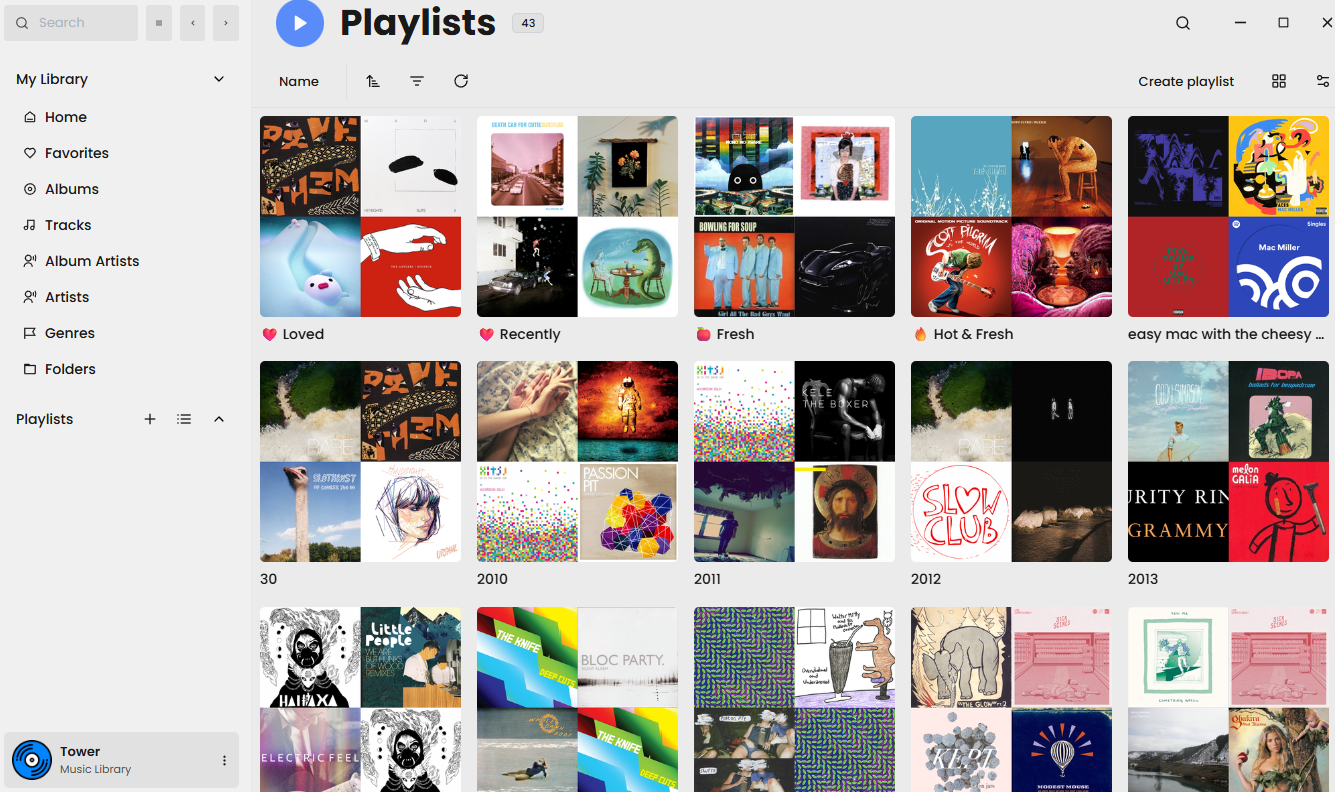
I started accumulating my music library in the mid-2000s by downloading shit off Limewire. At the time of writing, that library is approaching nearly 20,000 songs and around 200GB in size.1 As a teen married to my computer, I used various apps to listen to and manage the library — iTunes so I could sync with my iPod Nano, Winamp when I wanted something local, and then eventually foobar2000 when Winamp went the way of the buffalo. Once the smartphone era came around, I used Google Play Music to upload the library to their servers , and that bridged the gap between my locally stored media and listening on the go from whatever device. Frankly, at the time, I couldn’t believe that Google was allowing something like this — absolutely none of the music was purchased through them and I wasn’t paying a cent to access it. After a few years, Google shut down Play Music and attempted to transition everyone to YouTube Music. My response was a resounding “Fuck that,” and so I did what any normal person would do: I built a home server so that I could, essentially, host my own Spotify.2
I’ve been using Plex (and Plexamp) for music ever since then. I’m reasonably happy with it: I think Plexamp specifically is an awesome app with a lot of great features for music sickos like me. But Plex is a closed source corporate entity which I inherently do not trust. The early signs of enshittification are appearing, and I’m getting more and more wary of any service collecting my data. Honestly, I’m terrified of being trapped within an ecosystem: I want something that offers data portability, that I can, without major effort, jump away from while still retaining things like ratings and playlists.3
Happily, there are open source application that offer similar features to Plex. I’ve started playing around with Jellyfin, which seems to offer parity for movies and TV (though the Roku app sucks). It supports music just fine, but its focus is clearly video streaming.
Luckily, the world of self-hosting is rich, so research eventually led me to Navidrome, which I can run alongside Jellyfin. I’ve already started playing around with Symfoninum as a Plexamp replacement on mobile, and there are a bunch of desktop apps for accessing Navidrome. Importantly, all of those apps synchronize with Navidrome — so I can seamlessly move from one to the other, mobile to desktop, while retaining my playlists and favorites.
Moving playlists from Plex to Navidrome
Smart playlists are easy enough to recreate using a desktop app like Feishin. Smaller hand-made playlists aren’t a big deal to recreate, but I have some others that are quite large. I started with this tutorial; my early steps, reproduced here, are mostly the same, but I’m including a few tweaks and extra steps to get the playlists into Navidrome.
First, using WebTools-NG, connect to your Plex server. Then, go to ExportTools and select the following from the dropdowns:
- Export Type: Playlist
- Sub Type: Audio
- Media Library: Pick the playlist you want
- Export Level: All
Hit the green Export Media button. It will prompt you for an item start/end, but just leave the defaults so that it grabs the whole playlist. The dialog box will run through the process; wait until it says Job finished and then check the output directory.
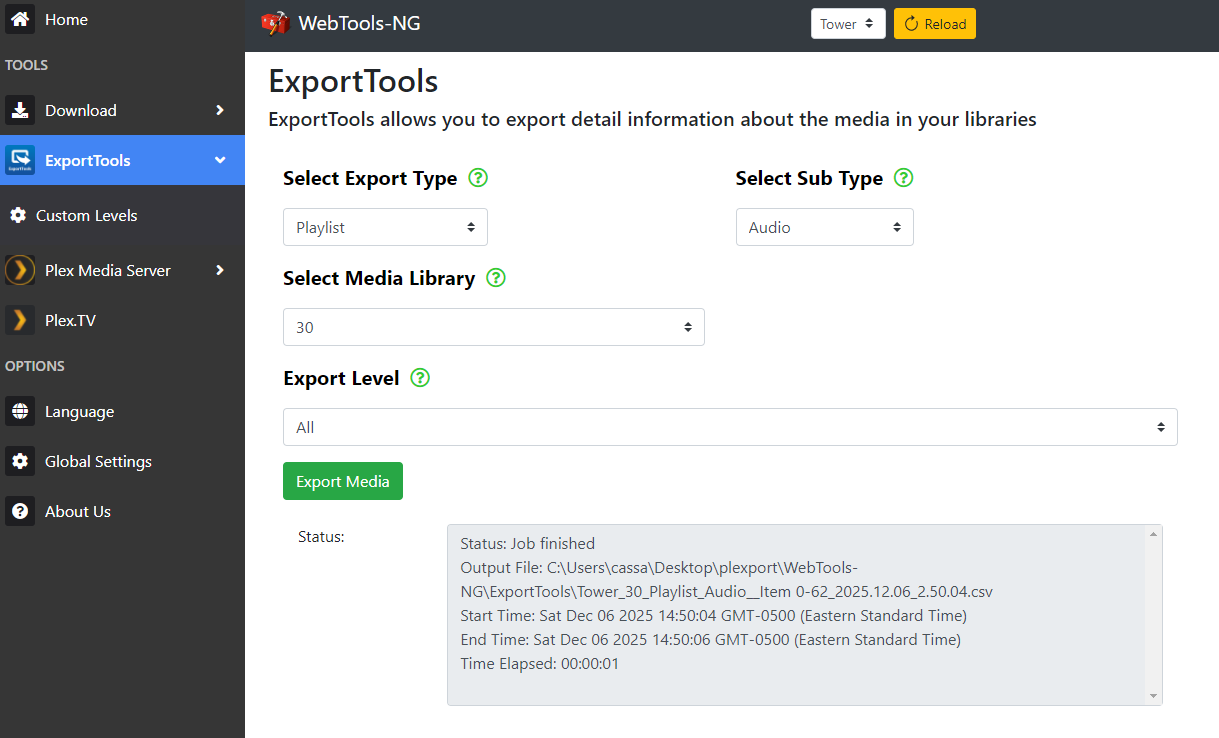
WebTools-NG spits the playlist out as a .csv file; we’ll need to do some editing to make this work in Navidrome. Open your preferred spreadsheet app (I’m using Excel4, but the steps are probably reproducible in any equivalent) and start a blank document. Then, import the .csv file that WebTools-NG created. In Excel, you do this by going to Data > From Text/CSV. Set the delimiter to |, then load the data. You should get a big spreadsheet with a bunch of columns.
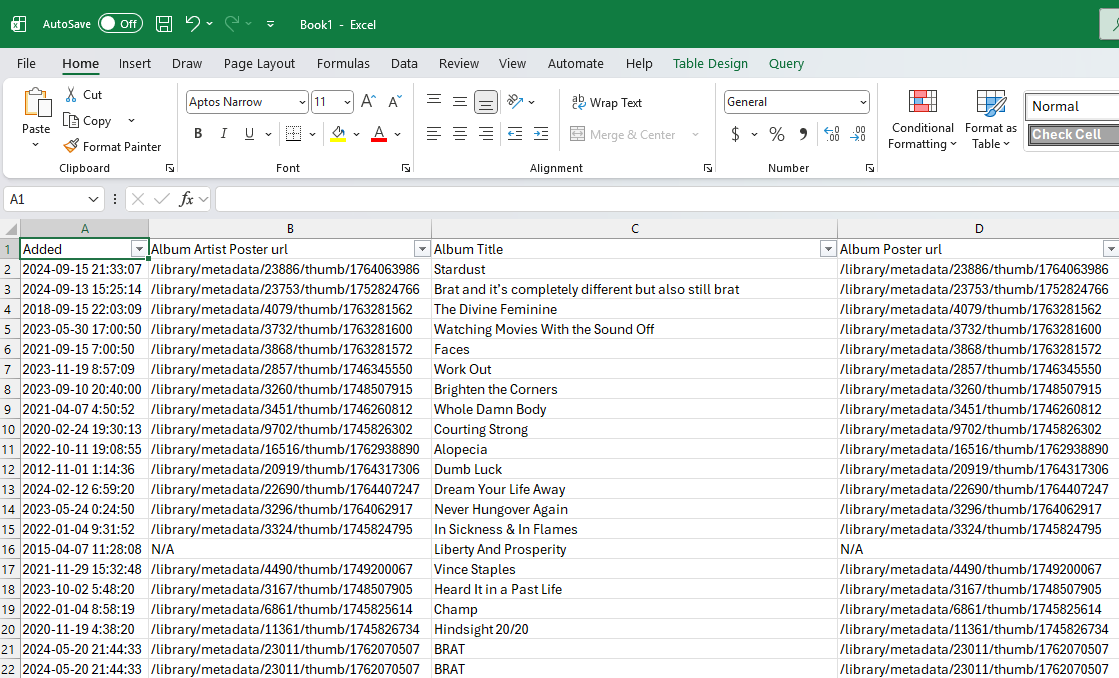
The only column that matters to us is Part File Combined, which has the full path to your media. For me, this is column Y. Delete the other columns.
We now need to to get this file ready for Navidrome:
- Replace the column header (Part File Combined) with
#EXTM3U. - Find and replace (Ctrl+H) the folder paths so that they match Navidrome, if necessary — this depends on your personal setup. For me, I run Plex on my Unraid NAS, and the data path is
/data/Music/. Navidrome, however, maps this just as/music/. Make whatever changes are correct for you. - Note any paths that contain commas, e.g. the album No One’s First, and You’re Last by Modest Mouse, because these won’t import correctly.
Save the resulting file as a csv. Then, change the file extension to m3u. Copy that file over into the data path you use for Navidrome.
Go into your playlists in Navidrome and find the playlist. You may have to give Navidrome a minute to scan, and you might have to toggle the Auto-import setting for the playlist.
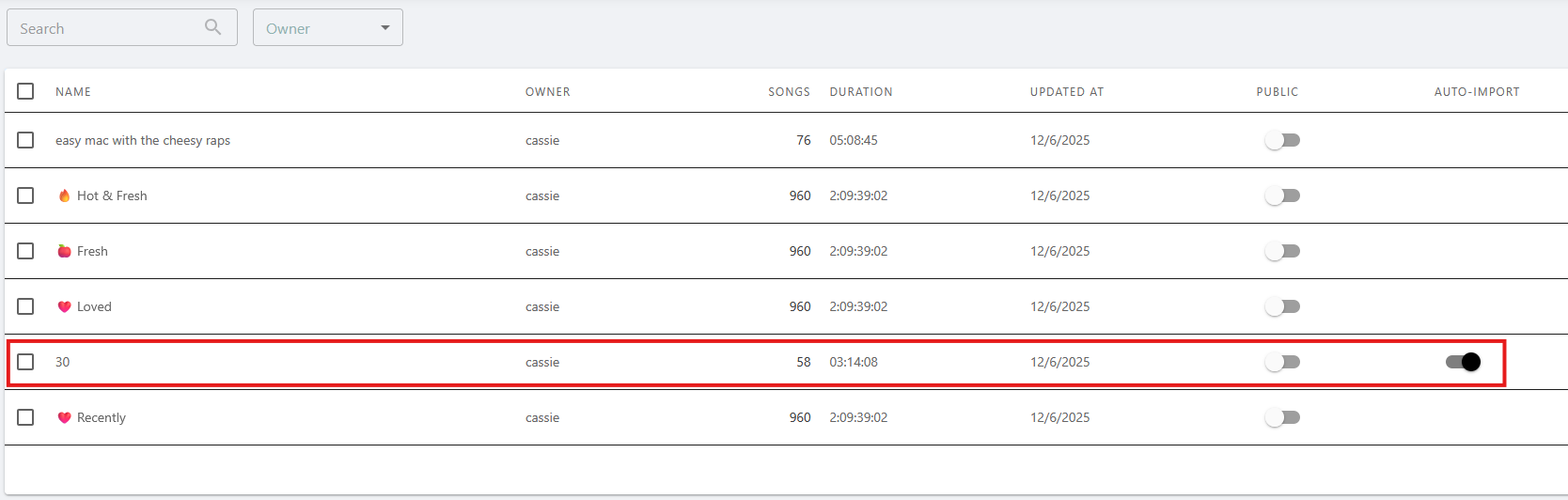
This is a handy screen to check to see how many tracks were imported on the playlist and compare that to Plex. Your playlist should now be accessible in Navidrome — but you’ll have to manually add any tracks that contained commas in the file path.5
Automating this process
Because I had so many playlists, I wanted to automate things a little. I imported all of the .csv files from WebTools-NG into a single Excel document. Then, I set up an Excel macro with the following steps:
- Delete A:X
- Delete B:H
- Autofit column(s)
- Set cell A1 to
#EXTM3U - Replace all ‘/data/Music/’ with ‘/music/’
I ran that on each sheet. Then, I ran a VBA script to export all those files to new .csv files in a directory.6
Sub ExportAllSheetsToCSV()
    Dim wsSheet As Worksheet
    Dim Filename As String
    Dim SavePath As String

    'Prompt user to choose a save directory
    SavePath = Application.InputBox("Enter the full path where you want to save the CSV files", "Enter Path", Type:=2)
    If SavePath = "" Then Exit Sub

    ' Loop through each worksheet in the active workbook
    For Each wsSheet In ThisWorkbook.Worksheets
        ' Define the filename for each CSV file
        Filename = SavePath & "\" & wsSheet.Name & ".csv"

        ' Save the current worksheet as a CSV file
        wsSheet.SaveAs Filename:=Filename, FileFormat:=xlCSV, CreateBackup:=False

        ' Close the new CSV file (it is automatically opened by SaveAs)
        ' Application.ActiveWorkbook.Close
    Next wsSheet

    ' Notify user that the process is complete
    MsgBox "All sheets have been exported to CSV files in the selected folder.", vbInformation
End Sub
After that, I batch renamed those files from .csv to .m3u using PowerRename.
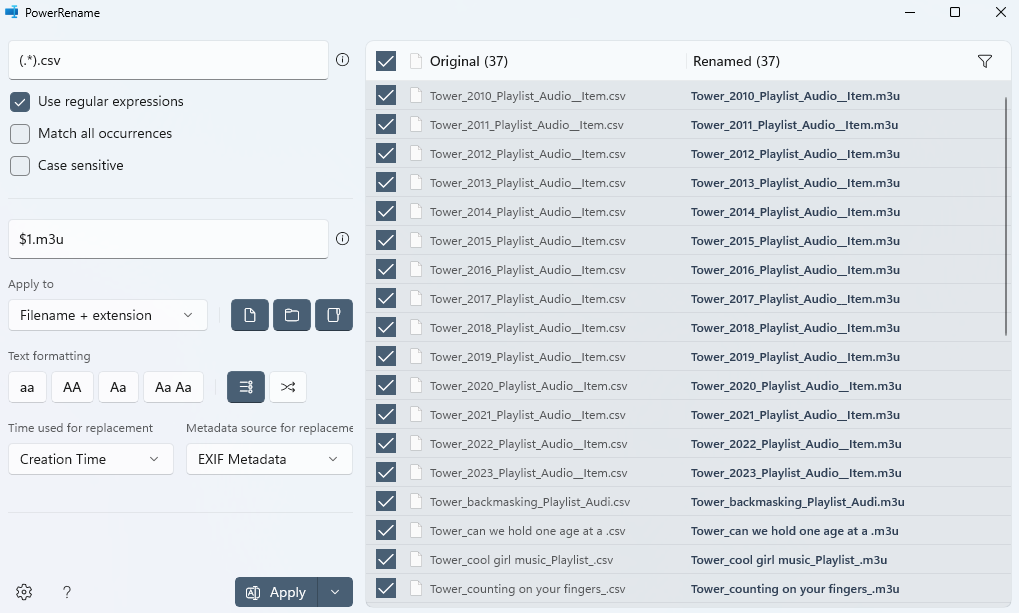
I still had to manually go in and add the songs with commas in the file paths (I went back to the spreadsheet and filtered for cells that contained a comma to narrow this down easily), but this saved me a lot of clicking.
Importing favorites
I mark tracks I like in Plex with a star. Plex supports five star ratings, but I’ve set it to just one star (which Plex translates to five stars) as a sort of favoriting system. I have nearly 1000 songs rated this way and absolutely did not want to do this one by one.
I created a smart playlist in Plex that contained all the songs I’d starred. Then, I followed the steps above to import that playlist into Navidrome. I manually added in the songs with commas. Then, using the desktop app Feishin, I opened the playlist, hit Ctrl+A to select everything, and favorited them all at once.
All in all, the process took me just a few hours of effort. Plex and other big apps (Spotify, Apple Music, etc.) want to make it hard for you to move your data around to keep you locked into the platform, so we have to rely on hacky processes like these to get that data out. This isn’t the case with open platforms like Navidrome — playlists, for example, have a handy export button that will spit you out an M3U. I will still run Plex while I see how well Navidrome works out in practice and while I transition my video files to Jellyfin, but from my early usage, it’s promising — and it feels a lot better to be running an open source software that isn’t at the whims of a corporation. I’ve still got to figure out how I want to set up remote access — Plex generally makes this very easy, but I’m caught behind CGNAT by my ISP (a local outfit that I’m otherwise very happy with), so it hasn’t worked for me. I’m already using Tailscale to access my other self-hosted services, so I’ll probably just stick with that and downloading offline files when I don’t have a reliable connection.
I’m recently working on replacing a lot of the legacy media (128kbps MP3s) with FLACs, so it’s really ballooned in size. ↩︎
fuck Spotify; read Mood Machine ↩︎
play history doesn’t really matter to me because I’ve been scrobbling to last.fm (and mirroring to Listenbrainz) since 2010. It would be nice to have a music player that pulls that data for historical play counts, but I think that’s a big ask. ↩︎
fuck microsoft; I haven’t gotten around to switching to an open-source office suite, and I get access to ms office for free through my job ↩︎
I tried escaping the commas with
\,but that didn’t work. I also tried wrapping the paths in quotation marks, also to no avail. I suppose a solution could be to rename all your files so that the paths don’t contain commas, but I don’t want to do that. If you have a workaround, please get in touch! ↩︎Google’s AI gave me this script and I couldn’t find a source for it. It worked for me, but I think it’s important to explicitly mark AI. If you know where the AI pulled this from, please let me know so I can properly credit them. ↩︎